 Island
7 Apps to Reduce Your Screen Time and Help You Focus in 2026
 Ethan Pronev
If you’re anything like me, you may relate to some of the following:
- Over the years, you’ve gradually started spending more and more time in front of your phone. Probably in the form of mindless scrolling on Instagram, TikTok, Reddit, etc.
- Your average daily screen time is the highest it’s ever been, but so is your awareness and willingness to do something about it
- You’ve heard of (or maybe even tried) several apps which promise to help block out distractions and reduce doomscrolling, but haven’t stuck around long term on any particular one
And its no surprise given the current state of the consumer app market, where seemingly every app is integrating bottomless feeds, transitioning to short-form-first, and generally is trying to keep you hooked as long as possible.
But at the same time, an opposing force has been growing and trying to push back: screen-time-management apps. They each have their own twist, but the fundamental idea is that they let you set screen time limits, block out distracting apps, and try to help you reclaim all those lost hours.
After researching and trying out several of these apps myself, I’ve put together a list of seven particularly interesting ones. They each take a very unique approach with their form factor and UX, so there should hopefully be something in here for everyone.
Traditional apps
This group takes the simplest and most straightforward approach: put up a wall in front of your distracting apps or create as much friction as possible to use them.
Opal

Opal is one of the more popular options out there and offers a wide range of functionality, including blocking apps, screen time limits, custom daily schedules, and timed focus sessions. It’s particularly known for its high-quality design and UI, and was even nominated as a 2025 Apple Design Award finalist. There is a free tier, but unfortunately, most of the fine-grained screen time functionality is gated behind a hefty $99.99/yr subscription.
Best for: People who want a no-nonsense, customizable app blocker and are happy to pay for it.
one sec
One sec is another option in the more traditional category, but it takes a more gentle approach rather than straight-up blocking your apps. Instead, opening a distracting app triggers a short breathing exercise and shows a “do you really want to?” prompt so you can re-think whether you really want to continue to the app. In addition, one sec differentiates itself through its research-first approach, and actually has peer-reviewed evidence behind its methodologies. However, it’s free tier only allows blocking one single app, and it doesn’t support blocking websites without also installing a separate browser extension.
Best for: People who want a research-backed tool and no hard blocking over their apps.
ScreenZen
Unlike the others, ScreenZen’s main strength is that it’s completely free with no paywalled features. It’s also extremely customizable and offers a whole slew of features including setting a wait time before opening an app, limiting number of opens, weekly time limit schedules, locking apps with a passcode, and a bunch more. However, this level of flexibility can also be a double-edged sword; navigating all the settings and permissions can be pretty confusing if all you want is a simple limit on a handful of apps.
Best for: Screen time power-users who want endless customizability without needing to pay for it.
Gamified apps
In addition to the more traditionalist apps, there’s another group that takes a more unconvential approach to reducing screen time: turning it into a game! These apps try to turn habit-building into a fun challenge by creating something tangible to tie your progress to (giving you something to care for/grow/etc.).
Forest
Forest is very popular gamified productivity app, and, being released in 2014, was one of the very first in this space that defined the genre. The premise is simple: start a focus session by planting a seed, and if you finish successfully it grows into a tree. But if you leave the app during a session, the tree dies and stays that way forever in your forest. There are also additional features such as group sessions (if any one person fails, everyone’s tree dies), and, if you opt into their subscription, you can even have a real-life tree planted each time you succeed. While the app works great for timed focus/study sessions, it doesn’t support much other screen-time functionality besides that.
Best for: Students who want more productive, timed study sessions.
Focus Friend
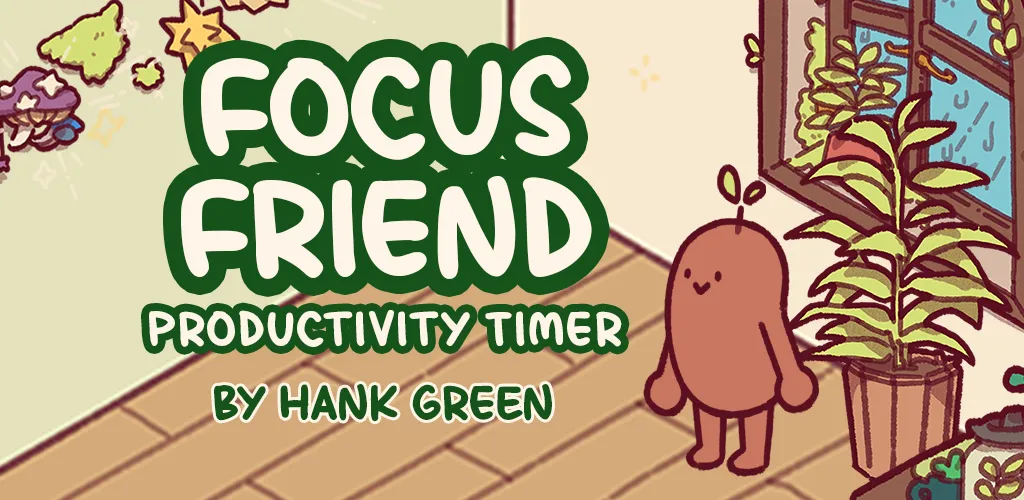
You may know this as Hank Green’s latest app; since releasing in 2025 it went viral and even won Google Play’s App of the Year award. The app revolves around a little ‘bean’ character that enjoys knitting: you can start timed focus sessions, and for each one you finish you obtain a new knitted item to decorate the bean’s room. It’s main appeal is the adorable/cozy feeling layered over the traditional focus timer concept. Like Forest, it excels for this use-case but doesn’t have any additional screen-time management mechanics.
Best for: People who want some cozy encouragement through their focus sessions.
Focumon
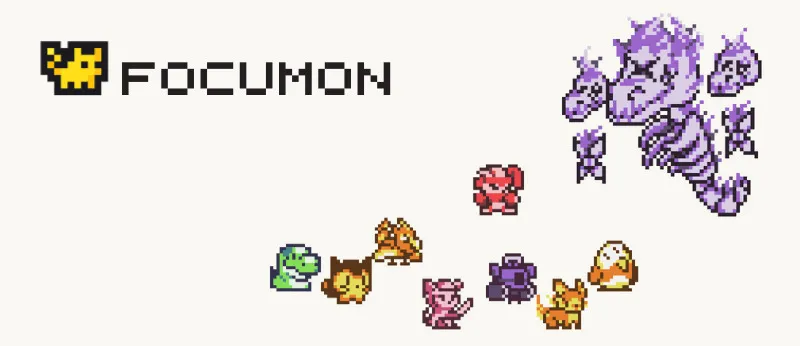
Focumon is perhaps a less mainstream option, but puts an interesting spin on the ‘gamified productivity’ concept. It still works around a central study timer feature but rewards you with pixel-art ‘Pokemon-like’ monsters that you can level up, evolve, and collect 100+ of. While the game aspect is certainly novel, it just lacks a bit on the productivity side: there’s no enforcement/hard-blocking of any sort, and it’s only available on the web (no mobile app).
Best for: Students or desk workers looking for a fun, nostalgic way to liven up their focus time.
What if you want the best of both worlds?
Overall, I’m personally a fan of the gamification concept since it makes building habits more engaging and gives you tangible rewards for improving. The one common drawback with the three apps listed here is that they all operate solely around a ‘focus timer’ mechanic, and don’t offer the level of customizability and general screen-time features of those in the traditional category.
There is one app that aims to combine the best of both worlds though (full disclaimer, we’re the developers behind it 🙃):
Island
Island’s approach is to integrate gamification but without sacrificing the functionality of a dedicated screen-time management app. It offers all the core features you’d expect: daily overall and per-app time limits, weekly schedules and rules, and reminders when you’re close to/have hit your limit. But unlike the traditional options, it’ll never lock you out of your apps or introduce excessive friction. Instead, it helps you build awareness and self-discipline about your screen time habits on your own by turning your progress into a game!
The premise is that you’re given control of a little farm on a virtual island, and your goal is to grow crops and maximize production. And the one way to influence production is through your screen time usage: you set daily time limits on your distracting apps, and every day you stay under, the weather on the island gets sunnier and your crops grow faster. But go over your limit and the weather turns stormy and impedes your harvest or even wrecks your buildings.
Island also offers a social aspect if you’re the type of person who likes getting motivation externally. You can add your friends, visit each other’s islands, compete on a screen-time leaderboard, and get notified each time they break their limit.
The idea is that by giving you something tangible to care for, you’ll naturally be more cognizant of your usage and limits each time you open a distracting app. This gentler approach to habit-building may not work for everyone (particularly if you’re the kind of person who needs an unbreakable wall in front of your distractions), but it’s certainly a unique & novel spin on the typical mechanics offered by other apps.
Best for: People who want to combine the flexibility & control of a dedicated screen time app with the enjoyment of a cozy idle game.